Sub-50ms Instant Recall & Local Search
Blazing fast SQLite FTS5 search with on-device OCR that reads whiteboards, photos, receipts, and attached PDFs in milliseconds.
When you capture thousands of notes, research papers, and saved bookmarks into one central workspace, there is only one metric that determines whether the system succeeds or fails: search speed.
If searching requires waiting three to six seconds while a cloud spinner turns, you stop trusting the system. You hesitate to dump ideas into it because retrieving them feels exhausting.
Nowted makes search feel instantaneous.
 Nowted•Sub-50ms Search in Action — Real-Time Query Filtering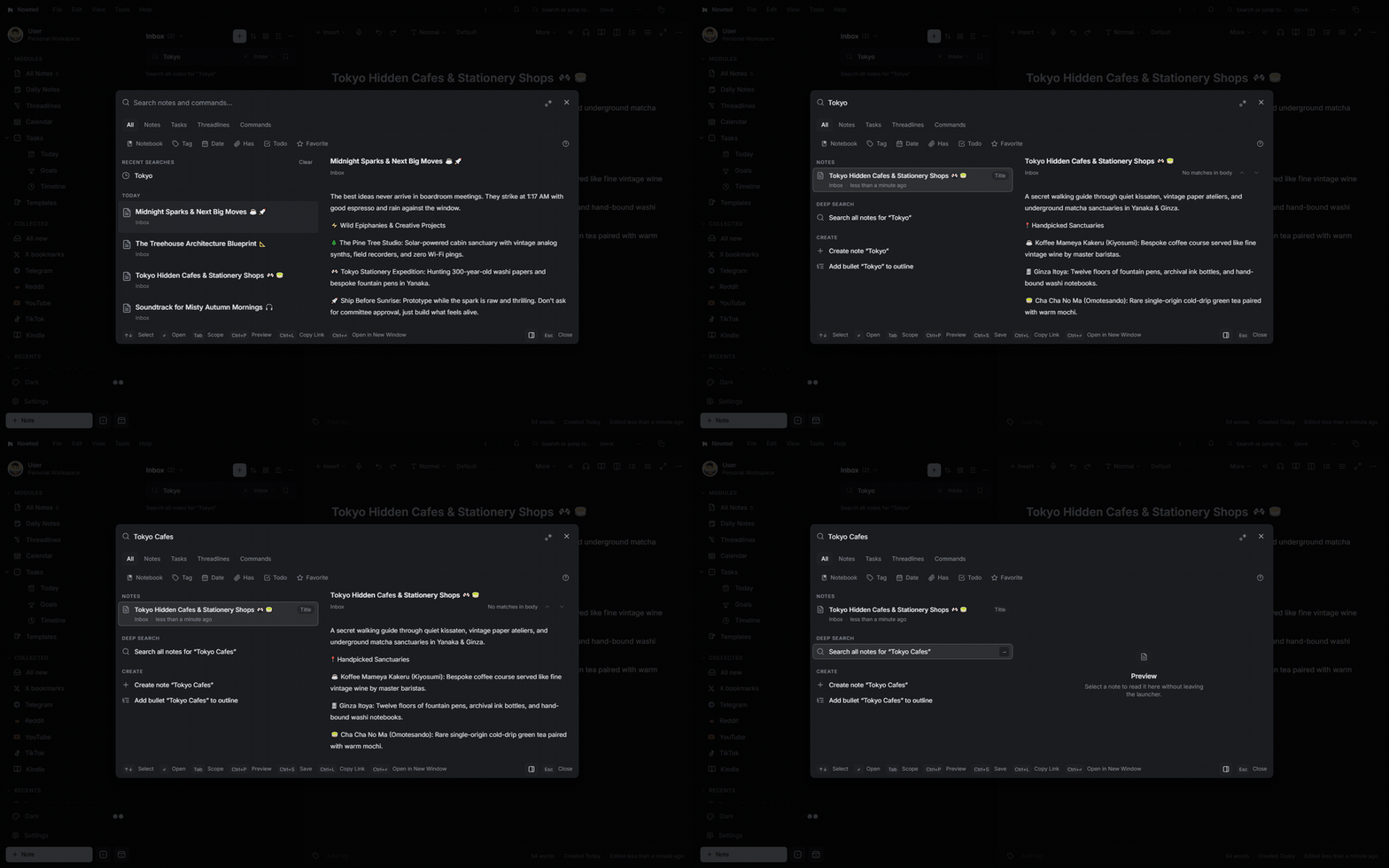
1. The Physics of Local Speed (SQLite FTS5)
Nowted does not query a remote cloud server three thousand miles away.
Search queries run directly against an embedded SQLite Full-Text Search (FTS5) index stored locally on your solid-state drive:
- Sub-50ms Response Times: Results populate in as little as 3 to 10 milliseconds—literally faster than the refresh rate of your monitor.
- Zero Spinners: There are no loading indicators, no API rate limits, and no network latency.
- Offline Reliability: Search functions with the exact same speed whether you are in an office, on an airplane at 35,000 feet, or in a remote cabin with zero internet connection.
Nowted•Instant Recall via SQLite FTS5 & Command Palette
Press Ctrl + K (⌘K on Mac) anywhere inside Nowted. Type two characters, and your relevant notes, tasks, and attachments appear immediately.
2. On-Device OCR: Finding What You Never Typed
Nowted's search engine goes far beyond plain text notes. It searches inside your media assets using on-device Optical Character Recognition (OCR):
- Photos of Whiteboards: Snap a photo of a whiteboard brainstorming session after a meeting and drop it into a note. Nowted reads the handwritten text out of the image so you can find the diagram weeks later by searching a single keyword.
- Scanned Invoices & Receipts: Search for a vendor name, transaction total, or order number, and Nowted highlights the match directly inside the attached image.
- Pages from Books: Snap a photo of a book page or magazine article; every sentence becomes searchable instantly.
- Deep Inside Attached PDFs: Search queries scan text layers embedded within attached PDF whitepapers, contracts, and research articles.
Nowted•On-Device OCR & PDF Preview in Action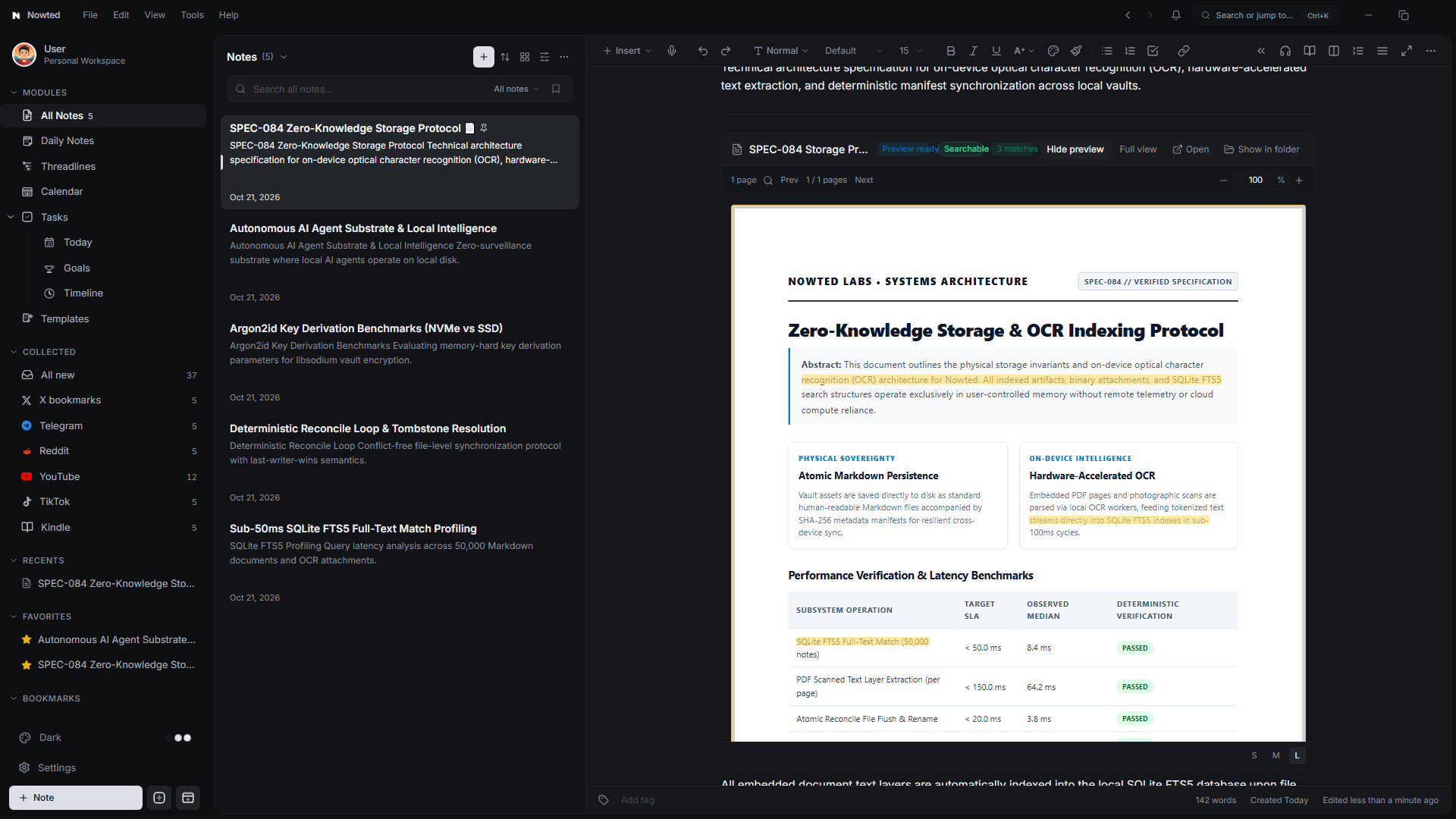
You do not need to spend hours building complex tag taxonomies or organizing deep folder hierarchies. Drop your images, PDFs, and notes into your workspace, and rely on sub-50ms search to find anything when you need it.
Was this guide helpful?
Your feedback helps us continuously refine the documentation.
Deep Thinking with Threadlines
Unclog a full brain with infinite outliner nesting, single-bullet laser focus, and keyboard-first structural thinking.
The Private Memory for Your AI
How Nowted serves as the sovereign local context layer and 2-way visual command center for autonomous AI agents like Hermes, Grok, Dots, Muse, Claude, and Cursor.