
Deep Thinking with Threadlines
Unclog a full brain with infinite outliner nesting, single-bullet laser focus, and keyboard-first structural thinking.
When your head is overflowing with half-formed ideas, complex architectures, or strategic dilemmas, writing in long prose paragraphs is too slow and heavy. You need structure, hierarchy, and speed. You need bullets.
Threadlines is Nowted's dedicated outliner mode—the fastest way to turn chaotic mental noise into structured clarity.
 Nowted•Folding & Deep Focus in Motion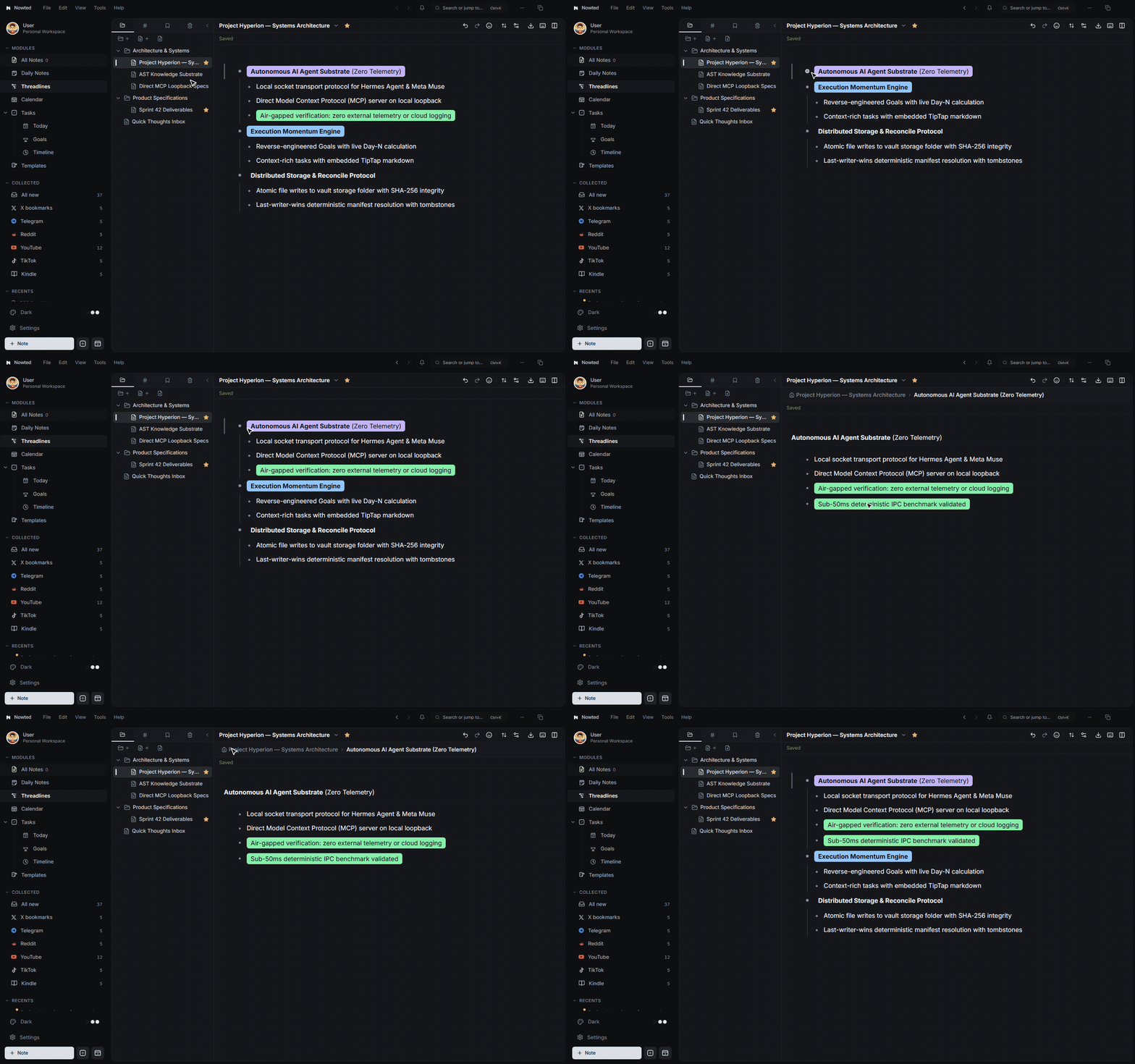
1. Unclogging a Full Brain
Threadlines treats every idea as a flexible node in a living tree:
- Infinite Nesting: Break big projects into parent initiatives, sub-topics, tactical steps, and reference links.
- Instant Folding: Collapse an entire 50-node project with a single click or keyboard shortcut (
Ctrl + .), hiding the details so you can review the macro structure without distraction. - Drag-and-Drop Reorganization: Effortlessly grab any branch and drag it to a new location. Reorganizing your logic feels fluid and natural.
2. Bullet Zoom: Single-Branch Laser Focus
The signature superpower of Threadlines is Bullet Zoom:
- Click the bullet dot of any node in your tree, or press
Ctrl + ]. - The entire rest of the universe disappears.
- Your screen instantly isolates that single branch as the root title of your view.
All surrounding chapters, background clutter, and unrelated projects vanish. You can brainstorm, outline, and refine that specific branch with absolute tunnel-vision focus. When you are finished, click the breadcrumb trail at the top to zoom back out to the high-level tree.
Nowted•Bullet Zoom: Single-Branch Laser Focus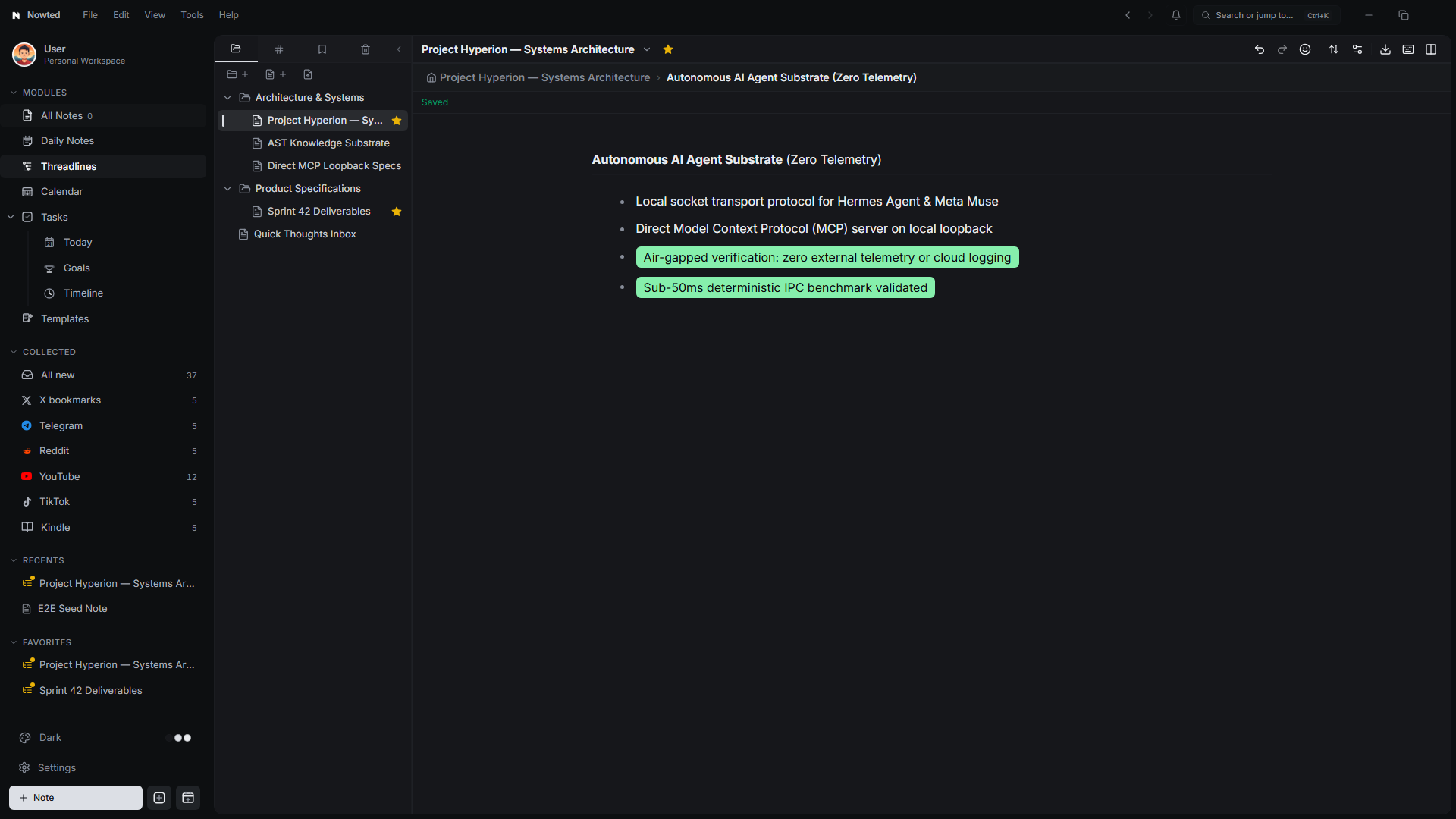
This entire documentation structure and our app video scripts were drafted inside Threadlines. Outline your thoughts in forty rapid bullets, zoom into the first branch to flesh it out, and watch a massive project come together without friction.
3. Dual-Pane Outlining: Side-by-Side Split View
Complex initiatives often require bridging the gap between strategic vision and tactical execution. Threadlines features a dedicated Dual-Pane Split View, allowing you to open and edit two distinct outliner notepads side by side:
Nowted•Threadlines Dual-Pane Split View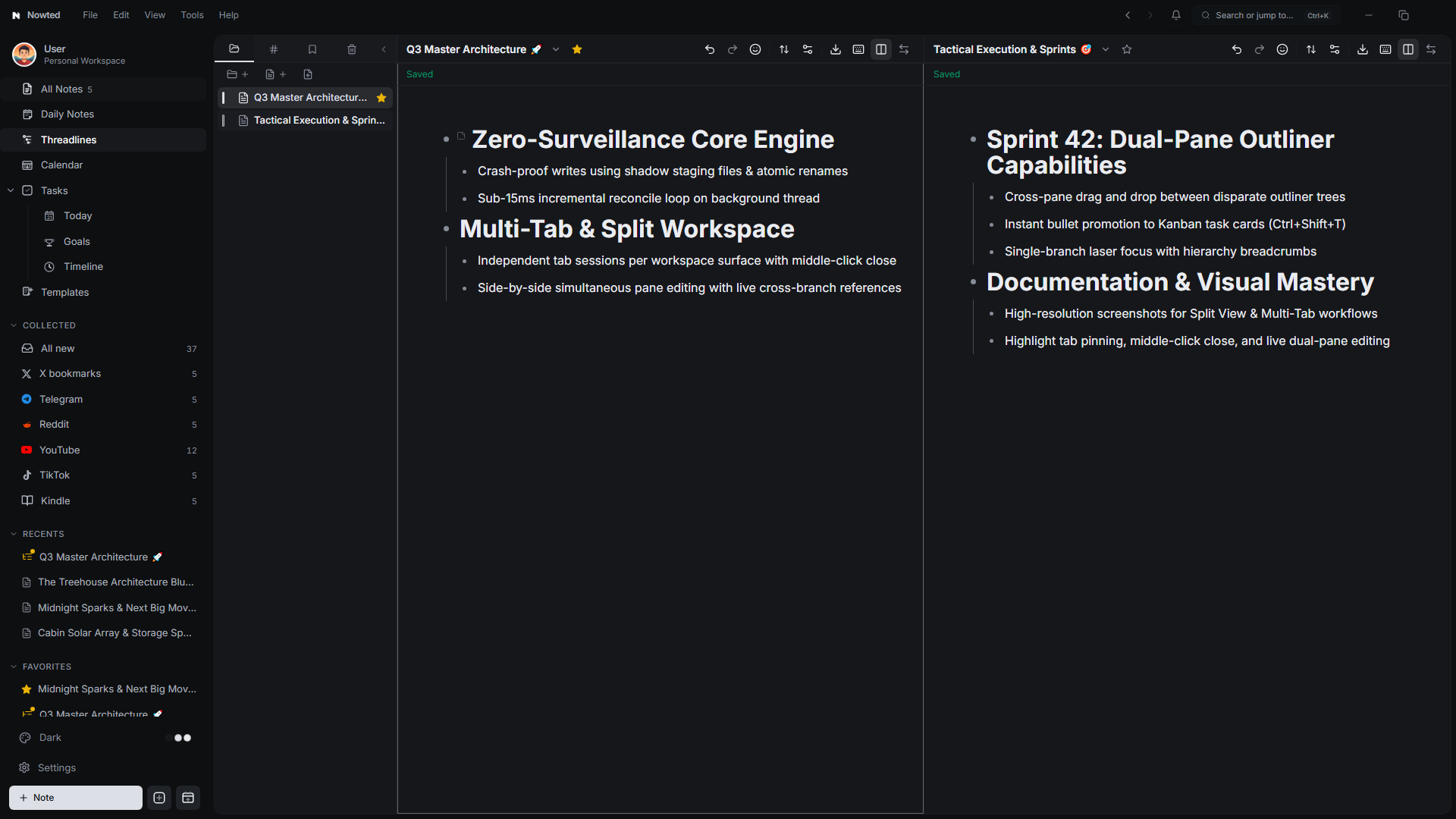
Strategic Alignment & Cross-Pane Navigation
- Simultaneous Dual Notepads (
Ctrl + Shift + V): Toggle split view withCtrl + Shift + Vor click the split view icon on the toolbar to display two independent outliner trees side by side. - Strategy on the Left, Execution on the Right: Keep your quarterly roadmap or technical RFC on the left pane while breaking down daily sprint backlog bullets on the right pane.
- Independent Zoom & Focus: Zoom into a single sub-branch on the right pane with
Ctrl + ]while keeping the bird's-eye architectural tree fully expanded on the left pane. - Smooth Pane Swapping: Flip the positions of your left and right notepads instantly with the Swap Panes button without losing your nested cursor or scroll positions.
- Cross-Tree Reference: Easily copy internal links and node references between disparate outliner trees to create cohesive, interwoven mental models.
Keep your Q3 Architecture RFC open on the left and your weekly sprint backlog on the right. Transfer thoughts between high-level milestones and immediate tactical items with zero context switching.
4. Keyboard-First Navigation
Threadlines is built for zero mouse intervention:
| Action | Shortcut (Windows / Linux) | Shortcut (macOS) |
|---|---|---|
| Indent (Nest child node) | Tab | Tab |
| Outdent (Promote node) | Shift + Tab | Shift + Tab |
| Move Branch Up / Down | Alt + ↑ / Alt + ↓ | ⌥↑ / ⌥↓ |
| Zoom In (Focus branch) | Ctrl + ] | ⌘] |
| Zoom Out (Return to parent) | Ctrl + [ | ⌘[ |
| Fold / Unfold Branch | Ctrl + . | ⌘. |
| Toggle Dual-Pane Split View | Ctrl + Shift + V | ⌘⇧V |
| Convert Bullet to Task | Ctrl + Shift + T | ⌘⇧T |
5. Notes Attached to Bullets
Every bullet in Threadlines can hold its own rich-text sub-note. Click the note icon on any node to expand an inline writing canvas with images, code blocks, or links without breaking the structural hierarchy of your outline.
Once your outline is structured, you can select any bullet and press Ctrl+Shift+T to instantly promote it to an active task on your Kanban Board.
Was this guide helpful?
Your feedback helps us continuously refine the documentation.
Strategic Horizons & Goals
Reverse-engineer your biggest ambitions into daily momentum, with live progress bars, Day-N tracking, and retrospective timelines.
Sub-50ms Instant Recall & Local Search
Blazing fast SQLite FTS5 search with on-device OCR that reads whiteboards, photos, receipts, and attached PDFs in milliseconds.